 Download App
 Track Order
 Help Center

iOS 27.2 Update: Is Your iPhone Eligible for These New Features?
You open Settings, tap Software Update, and iOS 27.2 is waiting. Then the doubts start. Will my iPhone 13 get the new Siri AI too? Is this just a security patch? Will it slow my phone down?
Good news: you can sort this out in five minutes. Apple released the iOS 27.2 update on 26 October 2026, the latest iOS update for iPhone. The biggest confusion is simple. An iPhone can be eligible for the update and still miss some of its headline features.
This guide separates the two. You will see which iPhones can install it, which ones get the new Siri AI features, what works in India, and how to update safely.
Get Super Grade iPhone – 40% OFF Price + 5% Off more
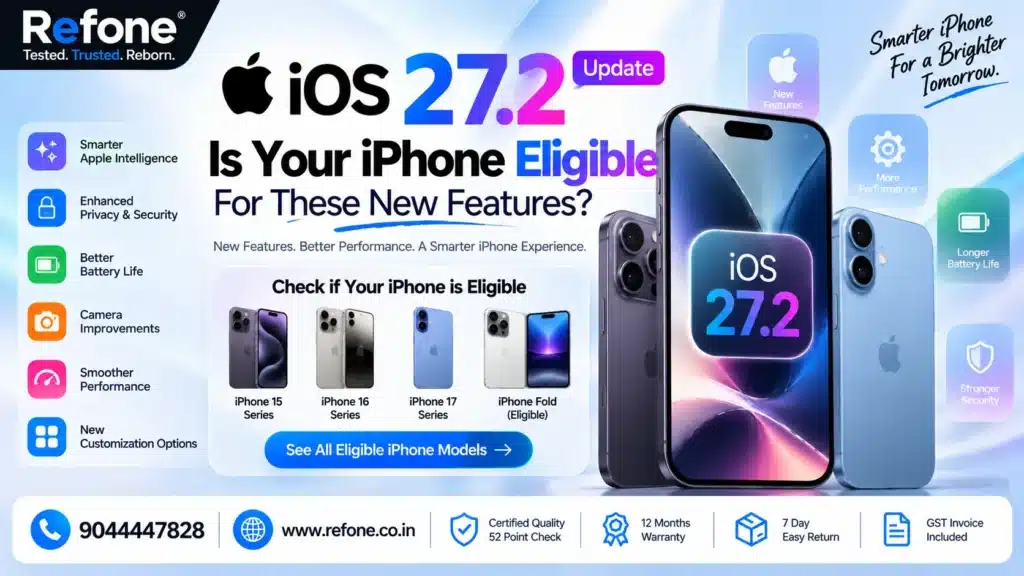
Quick answer: iOS 27.2 is available for every iPhone that can run iOS 27: iPhone 11 and newer, plus iPhone SE (2nd generation) and later. The new Siri AI features need an iPhone 15 Pro, iPhone 15 Pro Max, or any iPhone 16 or newer. In India, Siri AI works in English (India). Hindi is not supported yet.
iOS 27.2 Update Release Date and India Availability
Apple released iOS 27.2 on Monday, 26 October 2026. This iOS 27.2 release date marks the first major iPhone software update since iOS 27 arrived on 14 September, so it polishes many iOS 27 features. Most iPhones never saw a public iOS 27.1.
The iOS 27.2 update India rollout follows the global release. It is available in India for every compatible model, and the iOS 27.2 download India works over the air through Settings. For Indian iPhone users, this is the key iPhone software update India 2026 has seen since iOS 27. The iOS 27.2 features in India are mostly the same as elsewhere, with language limits explained below. If you do not see it yet, wait a few hours and check again.
Buy Certified Refurbished iPhone
Super Quality iPhones at Smarter Prices
Which iPhones Are Eligible for iOS 27.2? (Supported Devices List)
Apple dropped no iPhone this year, so the official iOS 27.2 compatibility list matches iOS 27 and iOS 26. Here are the iOS 27.2 supported devices, or which iPhones are eligible for iOS 27.2 and support the latest Apple update. This iOS 27.2 eligible iPhones list is verified iPhone compatibility, and it shows the Siri AI split that the plain iOS update supported iPhones list hides:
| iPhone Model | Gets iOS 27.2? | Siri AI / Apple Intelligence? |
| iPhone 18 Pro, 18 Pro Max, iPhone Duo | Yes | Yes |
| iPhone 17 series, iPhone Air, iPhone 17e | Yes | Yes |
| iPhone 16 series, iPhone 16e | Yes | Yes |
| iPhone 15 Pro, 15 Pro Max | Yes | Yes |
| iPhone 15, 15 Plus | Yes | No |
| iPhone 14 series | Yes | No |
| iPhone 13 series | Yes | No |
| iPhone 12 series | Yes | No |
| iPhone 11 series | Yes | No |
| iPhone SE (2nd and 3rd generation) | Yes | No |
| iPhone XS, XR and older | No | No |
iOS 27.2 Update by iPhone Model
These are the supported iPhone models, one by one:
- iOS 27.2 update for iPhone 11: installs. No Siri AI.
- iOS 27.2 update for iPhone 12: installs. No Siri AI.
- iOS 27.2 update for iPhone 13: installs. No Siri AI.
- iOS 27.2 update for iPhone 14: installs. No Siri AI.
- iOS 27.2 update for iPhone 15: all models install. Only the 15 Pro and 15 Pro Max get Siri AI.
- iOS 27.2 update for iPhone 16: the full set.
- iOS 27.2 update for iPhone 17: the full set, plus Dual Capture in FaceTime.
So, is iOS 27.2 available for iPhone 11? Yes. Does iOS 27.2 support iPhone 12 and iPhone 13? Yes, with the AI limit above. Older models still get the security patches, bug fixes and non-AI features like Apple TV profiles.
Also Read – iPhone 18 Pro Max vs iPhone 17 Pro Max: Price in India, Features and Specifications Compared
How to Check Your iPhone Model in 30 Seconds
Not sure which model you own? Open Settings > General > About and read the Model Name. Then match it to the table above. This is the simplest way to answer “Can my iPhone get iOS 27.2?” without guessing. If the name sounds right but the update is missing, see the troubleshooting section below.
iOS 27.2 New Features List: What Is Actually New
Here is the iOS 27.2 features list from Apple’s software update notes, with the device rule beside each one. This iOS 27.2 features by iPhone model view is what most articles skip. Together with the iOS 27 features from September, these are the new iPhone features worth knowing.
| Feature | What It Does | Who Gets It |
| Siri AI context awareness | Recalls past chats and draws on photos in Messages, Calendar attendees, voicemails and Safari history | iPhone 15 Pro, 15 Pro Max, iPhone 16 and newer |
| Excluded Apps | App access permissions and privacy controls: one setting to choose which apps Siri, Search and suggestions can access | Same as above |
| Granular text selection | Select and copy only part of a Siri answer | Same as above |
| New Siri AI languages | French, Japanese, Korean, Portuguese, Spanish | Same as above; not in the EU or mainland China |
| Contextual suggestions in Messages | Turns chat details into Calendar events or Reminders (Calendar and Reminders integration) | No device limit listed; region or language may apply |
| Photos app improvements | Shared Albums: edit captions, avoid duplicates, expiry reminders. Adds SynthID watermarks to AI images | iOS 27.2 devices |
| FaceTime improvements | Dual Capture in group calls; add a sign language interpreter or live captioner | Dual Capture: iPhone 17 series, iPhone Air and newer |
| Apple TV profiles | Simple Profiles for each family member; Multiview for live sports | iOS 27.2 devices; sports depend on region |
| Apple Music interface | New icon and branding; Podcasts gets a New Episodes and Continue Playing Home tab | iOS 27.2 devices |
| Apple Pencil compatibility | Apple Pencil (USB-C) support | iPhone Duo only |
One warning. A redesigned Health app showed up in early betas, but Apple pulled it before release. It is not in the final update, so ignore videos that promise it.
What about system performance? Apple’s notes list no speed or battery gains. Some early users say Safari feels snappier, but that is anecdotal.
Also Read – Diwali 2026 iPhone Sale: Should You Buy Now or Wait?
Which iPhones Get the New Siri AI Features? What About India?
Apple lists these Apple Intelligence features and Siri AI features for the iPhone 15 Pro, 15 Pro Max and every iPhone 16 model or newer. So does installing iOS 27.2 give my iPhone the new Siri AI? Only if your model is on that list. That answers the common worry: will my iPhone get the new Siri AI?
For Apple Intelligence availability in India, English (India) is supported, and Siri AI is still in beta. Apple’s language list for Apple Intelligence does not include Hindi, and Apple has published no Hindi date. On Siri AI language support for iPhone, iOS 27.2 Hindi language support is not available yet. Apple says more languages are coming later this year.
Set Siri to English (India) to use it. Region and language are separate from device eligibility. Region-specific Apple Intelligence support and feature availability by device both change over time. Check Apple’s official feature-availability page before you trust a claim, including ours.
iOS 27.2 Security Improvements: Feature Update or Security Update?
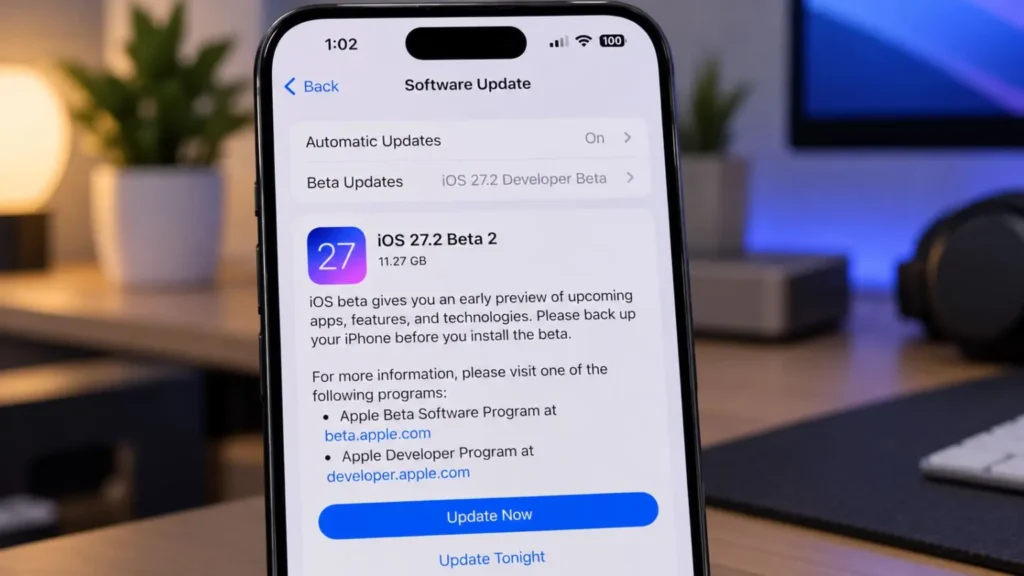
Both. It is also the latest iPhone security update, with important security patches and bug fixes. For official security update details, see Apple’s security releases page. The short version: MacRumors counts more than 160 fixes in Apple’s notes, including:
- A flaw in Apple Intelligence that could let a remote attacker reach sensitive data.
- A Hide My Email bug that could leak your real email address.
- More than 30 WebKit fixes and around 15 kernel fixes.
Apple did not say any flaw is being actively exploited. But the details are public, so waiting has a cost. If you stay on iOS 26, Apple released iOS 26.7.2 with many of the same security patches.
How to Download and Install iOS 27.2 on iPhone (Safe Steps)
Follow this iOS update installation guide and these safe iOS installation steps. They cover how to download iOS 27.2 on an iPhone and how to install the iOS 27.2 update without losing your data.
- Back up first (iPhone backup before updating). A device backup protects your photos and chats. Use iCloud (Settings > your name > iCloud > iCloud Backup > Back Up Now) or your computer.
- Charge and connect. Keep your battery above 50% and use stable Wi-Fi.
- Free up space. A buffer of 10 GB or more is a safe rule of thumb.
- Open Settings > General > Software Update.
- Tap Update Now, enter your passcode and let the phone restart.
- Check the version in Settings > General > About. It should say 27.2.
That is the whole update installation process.
The iOS 27.2 update size depends on your model and current version. Check the number on the screen. One MacRumors forum reader reported about 16.5 GB on an iPhone 17 Pro-series phone. That is an anecdote, not an Apple figure.
Also Read – How to Check Battery Health Before Buying a Refurbished iPhone (2026 Guide)
Why Is iOS 27.2 Not Showing on My iPhone?
Why is my iPhone not showing the latest update? Use this quick iPhone update troubleshooting list for the most common iPhone update problems:
- Your iPhone is too old. The iPhone XS, XR and older cannot run iOS 27.
- It has not reached you yet. Restart the phone and check again later.
- You are on iOS 26. You may be offered iOS 26.7.2. Pick the iOS 27 option for new features.
- A beta profile is installed. Remove it in Settings > General > VPN & Device Management.
- Low storage, low battery or weak Wi-Fi. Fix these and retry.
Should You Install iOS 27.2 Now?
For most people, yes. This Apple iOS update carries strong security fixes, and that alone is a good reason. Back up, then install. If your phone is critical for work, wait two or three days and read early reports first.
A real-world example: Picture two friends. One has an iPhone 13, the other an iPhone 16. Both install iOS 27.2 on the same day. Both get the same security patches and software compatibility fixes. Only the iPhone 16 owner can ask Siri about last week’s restaurant tip. Same update, different experience.
If Your iPhone Misses Siri AI: Your Options
Not an upgrade emergency. The iPhone 11 to 14 and the base iPhone 15 still get iOS 27.2 and its security fixes. Upgrade for Siri AI only if you truly want it.
If you do, the iPhone 15 Pro is the cheapest way in. A certified refurbished iPhone 15 Pro from Refone is SUPER grade, passes 52+ checks, has 90%+ battery health and a warranty (period shown on the product page), plus a 7-day replacement window. Read Refurbished iPhone vs New iPhone first, and check the live price at Refone.
Frequently Asked Questions
Q: Which iPhones are eligible for iOS 27.2?
iPhone 11 and newer, and iPhone SE (2nd generation) and later. Apple removed no models this year.
Q: What new features come with iOS 27.2?
Smarter Siri AI, Excluded Apps, Suggestions in Messages, Apple TV profiles, Photos changes, FaceTime updates, a new Apple Music look and 160+ security fixes.
Q: Is iOS 27.2 available for iPhone 11?
Yes. The iPhone 11 installs iOS 27.2 but does not get Siri AI or Apple Intelligence.
Q: Does every compatible iPhone get all iOS 27.2 features?
No. Siri AI needs an iPhone 15 Pro or newer, and Dual Capture needs an iPhone 17 series or newer.
Q: Is iOS 27.2 mainly a feature update or a security update?
It is both. It adds features, but more than 160 security fixes make it important to install.
Q: How do I update my iPhone to iOS 27.2?
Back up, connect to Wi-Fi, open Settings > General > Software Update, then tap Update Now.
Q: Is it safe to update my iPhone today?
Yes for most users, after a backup. Wait a few days only if your phone is mission-critical.
Conclusion
The iOS 27.2 update is worth installing on every eligible iPhone, mainly for the security fixes. But eligibility has two layers. Almost every iPhone from the iPhone 11 up gets the update. Only the iPhone 15 Pro and newer get Siri AI, and in India it works in English only for now.
Check your model in the table, back up, and update. Do not buy a new phone just for one feature.
Thinking of moving to an iPhone that runs Siri AI? Explore SUPER-grade, warranty-backed refurbished iPhones at Refone. We would rather you buy the right phone than the most expensive one.
Leave a Reply
Your email address will not be published. Required fields are marked *