 Download App
 Track Order
 Help Center

How to Check Battery Health Before Buying a Refurbished iPhone (2026 Guide)
A practical, expert-tested guide for Indian buyers — how to check iPhone battery health, what percentage is good, and how to avoid a weak battery hiding behind a shiny screen.
Why This Guide Matters (Read This Before You Buy)
You found a refurbished iPhone at a price that feels almost too good to be true. The screen looks flawless, the body is clean, and the seller promises it is “like new.” But one question keeps nagging you — how long will the battery actually last?
Get Super Grade IPhone – 70% OFF Price
This worry is completely valid. Battery performance is consistently the top concern for refurbished smartphone buyers in India, ahead of screen condition, camera quality, or storage. And it makes sense — you can inspect a scratch with your eyes, but you cannot see inside a lithium-ion battery just by holding a phone.
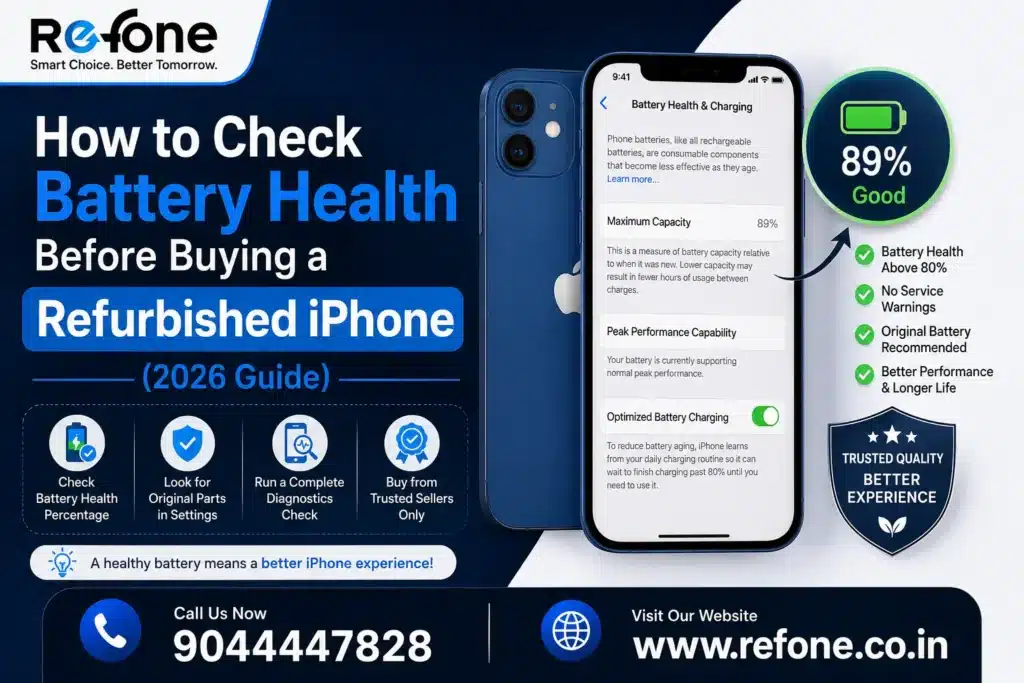
The good news is simple: checking refurbished iPhone battery health takes less than two minutes, and you do not need any technical background to do it. In this guide, we will walk you through exactly how to check battery health before buying a refurbished iPhone, what numbers actually matter, and how to protect yourself from sellers who quietly hide a weak battery behind a spotless screen.
By the end, you will be able to run a complete iPhone battery health check like a trained buyer — the same evidence-based process our team at Refone follows before any device is listed for sale.
What Is iPhone Battery Health? (Quick Explainer)
iPhone Battery Health is a built-in iOS feature Apple introduced after the 2017 “performance throttling” controversy, giving every user visibility into their battery’s real condition. It lives inside iOS Settings and reports two key numbers:
- Maximum Capacity — how much charge your battery can currently hold compared to when it was new (100%).
- Peak Performance Capability — whether the battery can still deliver full, sustained performance without unexpected slowdowns or shutdowns.
Every lithium-ion battery — the type used in every iPhone — naturally loses some maximum capacity over charging cycles. This is normal chemistry, not a defect. Apple itself states that a battery is designed to retain up to 80% of its original capacity at 500 complete charge cycles under normal conditions. The real question for a refurbished buyer isn’t “has the battery aged” — every used phone’s battery has. The real question is: how much, and is the seller being transparent about it?
Also Read – Buy a Certified Refurbished iPhone in India? (2026 Guide)
How to Check Battery Health Before Buying a Refurbished iPhone (Step-by-Step)
Here is the exact battery health checklist to run through, whether you’re inspecting the phone in person or asking a seller for proof remotely.
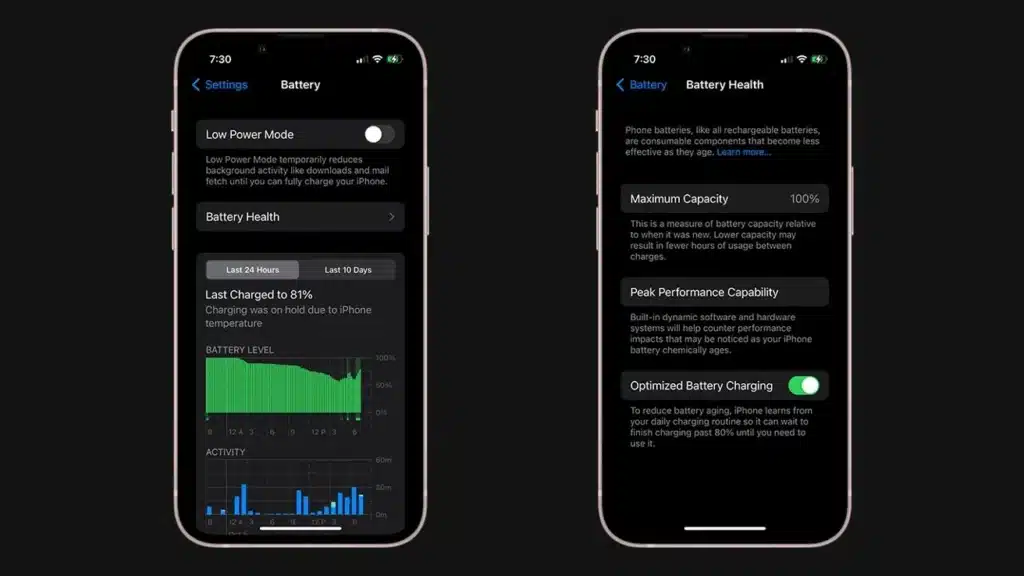
Step 1: Check Battery Health & Charging in iOS Settings
This is the fastest and most reliable iPhone battery health check available.
- Go to Settings > Battery > Battery Health & Charging.
- Note the Maximum Capacity percentage shown at the top.
- Check the Peak Performance Capability message — it should say the battery is providing normal peak performance.
Featured-snippet answer: To check battery health on any iPhone, open Settings, tap Battery, then tap Battery Health & Charging. The Maximum Capacity percentage tells you the current battery condition compared to when it was new.
Step 2: Look for the Important Battery Message
If the battery has been swapped with a non-genuine part, iOS displays a warning under Battery Health such as “Unable to verify this iPhone has a genuine Apple battery.” This single line is one of the most reliable authenticity checks in the entire refurbished iPhone buying checklist — never ignore it.
Step 3: Check the Battery Cycle Count
A charge cycle is completed every time you use 100% of your battery’s capacity — not necessarily from one single charge. A phone charged from 50% to 100% twice equals one full cycle. Cycle count is a more accurate ageing indicator than the health percentage alone, because it tells you how hard the battery has actually worked.
- On recent iOS versions, cycle count may appear under Settings > Privacy & Security > Analytics & Improvements > Analytics Data (search for “log” entries with battery data), or the seller can share it via a diagnostic tool.
- Ask a trusted refurbisher for the official diagnostic or inspection report — this is standard practice for any certified refurbished iPhone seller.
Step 4: Do a Real-World Battery Test
Numbers on a settings screen are useful, but a short real-world battery test confirms them. Stream a video or use the camera for 15–20 minutes and watch how fast the percentage drops. A healthy battery should not lose more than roughly 8–12% in that window under normal brightness. A sudden, sharp drop is a warning sign, even if the health percentage looks fine on paper.
Step 5: Verify IMEI and Device Authenticity
Dial *#06# to reveal the IMEI number, then cross-check it against the box, invoice, and Apple’s own coverage page. IMEI verification confirms the phone isn’t stolen, blacklisted, or mismatched with fake documentation — a critical step in any used iPhone verification process, separate from but just as important as the battery check.
Step 6: Ask for Battery Replacement History
A transparent, trusted seller checklist always includes a battery replacement history. If the battery was already replaced, ask whether it was a genuine Apple part or an Apple-authorized service provider. A documented, warranty-backed purchase with genuine replacement parts is far safer than an undocumented “it’s been changed, don’t worry” from a random seller.
What Battery Health Percentage Is Good for a Refurbished iPhone?
This is the single most searched question buyers ask, and rightly so — it’s the number that decides how long your phone will comfortably last. Here’s the honest, no-fluff breakdown:
| Battery Health % | Status | What It Means For You |
| 95% – 100% | Excellent | Near-new performance. Ideal for camera lovers, gamers, and heavy daily use. |
| 88% – 94% | Good | Normal wear for a well-maintained refurbished unit. Safe, high-value purchase. |
| 80% – 87% | Fair | Usable, but expect noticeably shorter screen-on-time. Ask for a price adjustment or battery replacement. |
| Below 80% | Poor | Apple’s own benchmark for expected battery lifespan. Avoid unless the seller replaces the battery before sale. |
Direct answer for AI & voice search: A battery health of 85% or above is generally considered good for a refurbished iPhone. Anything above 90% is excellent. Below 80% is the point Apple itself flags as the natural end of a battery’s expected lifespan.
So, is 85 percent battery health good enough? For most day-to-day users — calls, browsing, social media, moderate camera use — yes, 85% is a perfectly safe and common buying threshold. If you’re a heavy user (long video calls, GPS navigation, or extended photography sessions), aim for 90%+ for genuinely all-day battery life.
Also Read – Checklist Before Buying Refurbished Phones In India (2026 Guide)
Battery Cycle Count Explained for Buyers
Apple designs iPhone batteries to retain a high percentage of their original capacity for around 500 complete charge cycles before performance starts to noticeably decline. This is the industry-standard benchmark, and it’s why cycle count matters just as much as the percentage shown in Battery Health.
- Low cycle count (under 300) with high battery health = strong, reliable long-term buy.
- High cycle count (500+) with a still-decent percentage can mean the battery is close to a steep performance drop soon, even if today’s reading looks fine.
- Always ask the seller directly: “What is the battery cycle count on this unit?” A confident, documented answer is a good sign; hesitation is not.
Can Battery Health Be Manipulated? Warning Signs to Watch For
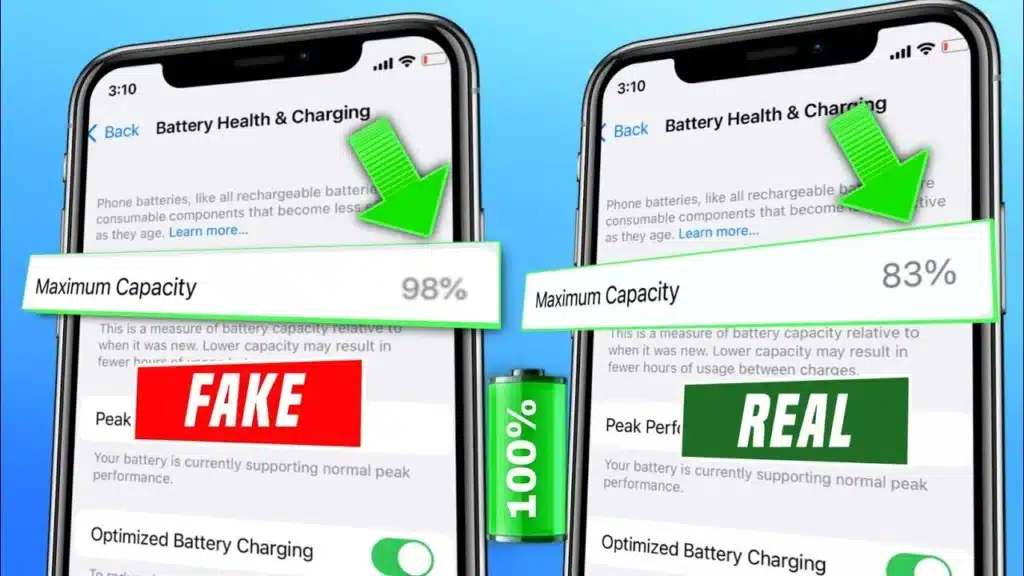
Unfortunately, yes — battery health readings can be manipulated on the grey market using unauthorized tools or uncertified replacement boards, which is exactly why buying from a trusted refurbishment process matters more than chasing the lowest price. Watch for these signs of poor battery condition on an iPhone:
- The phone shuts down suddenly at 20–30% charge, even though it shows a normal percentage.
- The device gets unusually hot during normal charging, not just fast charging.
- Any visible swelling or lifting of the back panel — a serious safety issue, never ignore this.
- Charging speed feels noticeably slower than expected for the model.
- The “Important Battery Message” appears under Battery Health, warning of a non-genuine part.
- The seller cannot or will not show you the Battery Health screen live, on request.
If you notice two or more of these signs together, treat it as a strong reason to walk away or negotiate hard for a battery replacement before purchase.
Original vs Replacement Battery: What’s the Real Difference?
| Feature | Original Apple Battery | Genuine Apple-Authorized Replacement | Uncertified Aftermarket Battery |
| Battery Health Reading | Accurate | Accurate | Often inaccurate or shows “unable to verify” |
| Peak Performance | Normal | Normal | Frequently unstable or throttled |
| Charging Safety | High | High | Higher overheating risk |
| Expected Longevity | Full standard lifespan | Full standard lifespan | Can degrade within 3–6 months |
| Warranty-Backed | Yes (if in policy) | Yes, Apple-authorized | Rarely, if ever |
This is why a certified refurbished iPhone is a fundamentally different product from a random second-hand listing. Certified units go through professional inspection and use genuine replacement parts wherever a battery swap is needed, protecting both performance and long-term safety.
Also Read – Is 85% Battery Health Good for iPhone? The Honest Answer Indian Buyers Need
Complete Refurbished iPhone Buying Checklist (Beyond the Battery)
Battery health is critical, but it’s one piece of a bigger pre-purchase inspection. Before you pay, confirm every item on this checklist:
- IMEI verification matches the box, invoice, and Apple’s records
- Grade clearly disclosed — Grade A refurbished units show little to no visible wear
- Minimum 6–12 month warranty-backed purchase, in writing
- Face ID or Touch ID working correctly (functional quality testing passed)
- iCloud account fully signed out and Find My iPhone turned off before handover
- Charging port, speakers, and all cameras tested and working
- A written return or replacement policy, especially for the first 7–14 days
- A professional inspection report or quality certificate provided with the device
Real-World Battery Life: What to Actually Expect
Numbers only matter if they translate into real usage. Here’s a practical guide based on typical screen-on-time for camera lovers and everyday users on a refurbished iPhone:
- 90%+ battery health: Roughly 6–7 hours of screen-on-time with mixed use, including photography and video.
- 85–89% battery health: Around 5–6 hours; comfortable for most users, but keep a charger handy on heavy shoot days.
- 80–84% battery health: 4–5 hours; fine as a backup device or light user phone, less ideal for all-day outdoor shoots.
A few simple habits also protect long-term battery efficiency: avoid charging in direct sunlight, use Optimized Battery Charging in Settings, and enable Low Power Mode when you’re out for extended periods. These small power management habits meaningfully extend your battery’s useful life.
Also Read – How to Check iPhone IMEI Number — 5 Easy Ways (2026)
Why Buy Your Refurbished iPhone From Refone
At Refone, every device goes through a transparent, evidence-based inspection before it’s ever listed for sale. We don’t believe in guesswork, and we don’t believe you should have to either.
- Every unit is sold with a documented battery health report — no hidden numbers
- Only genuine replacement parts are used wherever a battery has been serviced
- Minimum battery health threshold enforced before any device is approved for listing
- Full IMEI verification and professional inspection on every phone
- Warranty-backed purchase on every certified refurbished iPhone, so you buy with confidence
Our goal is simple: buyer-first recommendations, independent quality checks, and a reliable smartphone evaluation process you can actually trust — not just marketing language.
Frequently Asked Questions
Q1- What battery health is considered good?
A battery health of 88% or above is generally considered good. Above 95% is excellent, close to new-device performance.
Q2- Is 80% battery health acceptable?
It’s borderline. Apple itself treats 80% as the natural benchmark for expected battery lifespan, so it’s usable but you should expect reduced screen-on-time and plan for a possible replacement soon.
Q3- Should I avoid an iPhone with a replaced battery?
Not necessarily. A genuine, Apple-authorized battery replacement can actually mean fresher battery health than an original aged battery. The concern is only with uncertified, non-genuine replacement parts.
Q4- How do I check battery health in iOS?
Go to Settings, tap Battery, then tap Battery Health & Charging. The Maximum Capacity percentage shows the current battery condition.
Q5- Can battery health be manipulated?
Yes, on the unregulated grey market some sellers use uncertified tools or parts that misrepresent battery health. Buying from a certified, warranty-backed refurbisher significantly reduces this risk.
Q6- Does battery health affect iPhone performance?
Yes. A significantly degraded battery can trigger performance management, causing slower app loading or unexpected shutdowns during peak power demand, like gaming or camera use.
Q7- What is battery cycle count?
One charge cycle equals using 100% of your battery’s capacity, whether from a single full charge or several partial charges added together. Apple rates iPhone batteries for around 500 cycles before capacity noticeably drops.
Q8- Should I replace an iPhone battery after purchase?
Only if the health percentage is below 80% or you’re experiencing sudden shutdowns. Above that, a healthy battery generally doesn’t need immediate replacement.
Q9- How long does an iPhone battery last?
Most iPhone batteries maintain strong performance for about 2–3 years of regular use, or roughly 500 full charge cycles, before capacity drops meaningfully.
Q10- Does Apple show original battery information?
Yes. iOS displays whether the currently installed battery is a genuine Apple part under the Battery Health & Charging screen, along with a warning message if it cannot verify authenticity.
Q11- Refurbished iPhone lena safe hai kya battery ke hisaab se?
Haan, agar aap battery health check karke lete hain aur woh 85% ya usse zyada hai, toh refurbished iPhone lena bilkul safe hai. Sirf trusted, warranty-backed seller se hi kharido.
Q12- iPhone ki battery health kaise check karein?
Settings mein jaake Battery option par tap karein, phir Battery Health & Charging par jaayein. Wahan Maximum Capacity percentage dikhega, yehi aapki battery health hai.
Q13- 85 per cent battery health accha hai ya nahi?
Haan, 85% battery health zyada tar users ke liye accha maana jaata hai. Agar aap heavy camera ya video use karte hain, toh 90%+ dhoondhna better rahega.
Q14- Kya battery health fake dikhayi ja sakti hai?
Kuch untrusted sellers uncertified tools se battery health manipulate kar sakte hain. Isiliye hamesha certified refurbisher se hi phone kharidein, jo warranty aur inspection report deta ho.
Conclusion: Buy With Confidence, Not Guesswork
A refurbished iPhone can be one of the smartest tech purchases you make in 2026 — same premium camera, same iOS experience, at a fraction of the price. The only real risk is buying blind. Now that you know exactly how to check battery health before buying a refurbished iPhone, what percentage counts as good, and which warning signs to watch for, you’re equipped to make a confident, informed decision.
At Refone, we build every sale on transparency: documented battery health, genuine replacement parts, and a warranty-backed purchase on every certified refurbished iPhone. That’s our trust statement to you — not marketing language, but a process you can verify yourself, the same way this guide just showed you.
Ready to buy smart? Explore Refone’s certified refurbished iPhones with verified battery health reports and warranty-backed protection on every device.
Leave a Reply
Your email address will not be published. Required fields are marked *