 Download App
 Track Order
 Help Center

Where Can I Check a Second-Hand and Refurbished iPhone Before Buying in Howrah?
You’ve found the phone. The price looks right. The seller sounds confident. But one question is still sitting in your gut: “What if something’s wrong with it and I only find out after I’ve paid?”
Get Super Grade iPhone – 70% OFF Price
That worry is exactly why you’re here. And it’s a fair one — a used iPhone can look perfect on the outside and still hide a swapped screen, a dying battery, or worse, an iCloud lock that turns your new phone into an expensive paperweight.
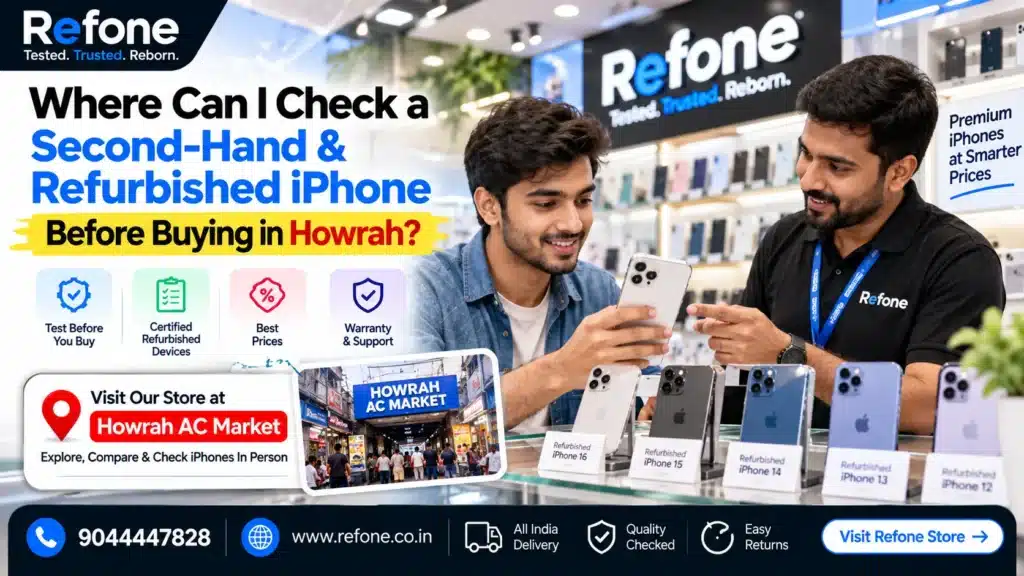
This guide answers the exact question you typed into Google: where you can check a second-hand and refurbished iPhone before buying in Howrah — and exactly what to check once you get there. No jargon, no sales pitch disguised as advice. Just the real checklist.
Why This Question Matters More Than People Realise
Here’s the uncomfortable truth about buying a used iPhone in Howrah — or anywhere, really. The phone that looks flawless in the shopkeeper’s hand can still fail you within weeks if nobody actually tested it first.
Common regrets buyers report after skipping a proper check:
- Battery draining from 100% to 20% in a few hours within a month of purchase
- Face ID that “sometimes works,” discovered only after getting home
- A phone that turns out to be iCloud locked, leaving the buyer stuck
- Paying refurbished iPhone prices for a phone that was really just wiped and resold as-is
- No bill, no warranty, and no way to prove the phone was ever theirs to sell
None of this is inevitable. Every single one of these problems can be caught in five minutes — if you know where to check and what to check. That’s what the rest of this guide covers.
Also Read – Refone New Store in Howrah AC Market: Your Trusted Refurbished iPhone Destination in 2026
Buy Certified Refurbished iPhone
Super Quality iPhones at Smarter Prices
Where Can You Actually Check a Refurbished iPhone in Howrah?
This is the practical part most buying guides skip. In Howrah, you have a few real options for physically inspecting a phone before you pay:
1. Dedicated refurbished iPhone specialists (like Refone)
Shops that focus specifically on certified refurbished devices are built around this exact process. At Refone, every phone that reaches a customer has already gone through IMEI verification, battery health testing, and hardware inspection — and that same process is shown to the buyer before payment, not hidden behind it.
2. Howrah AC Market and Dobson Road counters
Howrah AC Market — along with the Dobson Road stretch running through it — remains the city’s busiest hub for both new and used smartphones. If you’re searching for a “refurbished iPhone shop near Howrah AC Market” or “second hand iPhone Dobson Road,” this is the area most buyers mean.
3. Shops near Howrah Railway Station and Howrah Bridge
Given the daily footfall, several refurbished phone shops near Howrah Railway Station and near Howrah Bridge cater to commuters looking for a quick, in-person purchase.
4. Salkia, Shibpur, and Bally
For buyers closer to these residential pockets, smaller local dealers offer refurbished iPhone Salkia, refurbished iPhone Shibpur Howrah, and second hand iPhone Bally Howrah options — useful if travelling to the main market isn’t convenient.
The one rule that matters more than location: wherever you go, insist on testing the phone yourself, in front of the seller, before you pay. A shop’s location doesn’t guarantee honesty — the inspection does.
Also Read – Best Refurbished iPhone in Howrah (2026-27): The Complete Buyers Guide
The Complete Pre-Purchase iPhone Inspection Checklist
This is the core of what you actually came here for. Work through this checklist at the shop, in this order, before you hand over any money.
Step 1: Check the IMEI and Activation Lock Status
This is the single most important check on this entire list — and it takes less than a minute.
- Dial *`#06#`** on the phone to instantly display its IMEI and serial number
- Cross-check this number against the box (if available) and the seller’s paperwork
- Ask the seller to confirm the phone is signed out of iCloud, or check Settings > General > About to confirm Find My iPhone is off
- If the seller hesitates to sign out of their Apple ID in front of you, treat that as a serious red flag
This single step answers the most-searched question on this topic: “how to check iPhone IMEI before buying.” It’s also how you rule out a blacklisted or stolen iPhone — a genuine seller will never object to this check.
Extra step for serious buyers: ask the seller for the phone’s original purchase date so you can confirm Apple warranty coverage status separately, either through the seller’s own records or Apple’s official channels.
Step 2: Check Battery Health
Battery condition is the second biggest factor in whether a used iPhone is actually worth its price.
- Go to Settings > Battery > Battery Health & Charging
- Anything 85% and above is generally considered good for a refurbished purchase
- Below 80% should mean either a lower price or a battery replacement before you accept the deal
- Ask whether the battery has already been replaced — a genuine replaced battery should still show health data; if it shows no data at all, that’s worth asking about directly
This directly answers “what battery health is acceptable for a used iPhone” — one of the most common questions buyers ask before any purchase decision.
Step 3: Test the Display and True Tone
- Open a plain white or grey image to check for screen discolouration, dead pixels, or burn-in
- Go to Settings > Display & Brightness and confirm True Tone is available — if this option is missing entirely, it often signals a replaced, non-genuine display
- Check touch responsiveness across all four corners of the screen, not just the centre
Step 4: Test Face ID
- Set up Face ID temporarily (you can remove it after testing) to confirm it registers and unlocks correctly
- A Face ID that fails to set up, or works only intermittently, usually points to a hardware issue that’s expensive to fix later
Step 5: Check the Camera System
- Open the camera app and test all lenses — main, ultra-wide, and telephoto where applicable
- Check focus speed, especially in low light
- Take a couple of test photos and zoom in to check for blur, spots, or haze — signs of a damaged lens or sensor
For anyone specifically searching for a camera-focused refurbished phone, this step matters more than almost anything else on the list.
Step 6: Test Speakers, Microphone, and Charging Port
- Play any audio clip and check both the earpiece and the loudspeaker
- Record a short voice memo to confirm the microphone is clear, not muffled
- Plug in a charging cable and confirm it charges without needing to be held at an odd angle — a common sign of port damage
Step 7: Check WiFi, Bluetooth, and Network Connectivity
- Connect to WiFi and confirm a stable connection
- Pair a Bluetooth device briefly
- Insert a SIM (or ask the seller to do so) to confirm the phone picks up network signal properly — this rules out hidden network/baseband issues
Step 8: Look for Signs of Parts Replacement
- Check under Settings > General > About — genuine displays and batteries typically show clear part information; unclear or missing details can indicate a non-original part
- Physically inspect the screen edges and back glass for uneven gaps, which often indicate a prior repair
- Ask directly whether any part has been replaced — a transparent seller will tell you upfront rather than let you find out later
Step 9: Confirm the Paperwork
Before you pay, make sure you’re walking out with:
- A GST invoice or proper purchase bill — not just a handwritten note
- A written warranty document, stating the exact duration and what it covers
- A clear return or replacement policy, ideally with a defined window (7 days minimum is a reasonable standard)
If a seller can’t provide any of this, that alone should make you reconsider the purchase — regardless of how good the price looks.
Quick Reference: Pre-Purchase Checklist at a Glance
| Check | What to Look For | Red Flag |
| IMEI / Activation Lock | Matches box/bill, iCloud signed out | Seller won’t sign out, mismatched IMEI |
| Battery Health | 85%+ ideal | Below 80% with no price adjustment |
| Display / True Tone | No discolouration, True Tone available | True Tone missing, dead pixels |
| Face ID | Registers and unlocks reliably | Fails to set up or works intermittently |
| Camera | Sharp focus, no blur/haze | Cloudy or blurry test photos |
| Speakers/Mic/Charging | Clear audio, stable charging | Muffled sound, loose charging port |
| WiFi/Bluetooth/Network | Stable connection | Drops or fails to connect |
| Parts Replacement | Clear part info in Settings | Missing/unclear part details |
| Paperwork | GST invoice, written warranty | No bill, verbal-only promises |
Also Read – How to Check iPhone Original (2026 Guide)
Refurbished vs Second-Hand vs New: What’s the Real Difference?
This distinction confuses more buyers than anything else, so let’s settle it clearly.
| Factor | New iPhone | Certified Refurbished iPhone | Second-Hand (Uncertified) iPhone |
| Testing before sale | Factory-tested | Professionally inspected (IMEI, battery, hardware) | Usually none |
| Warranty | Full manufacturer warranty | Seller-backed written warranty | Rare or none |
| Price | Highest | 30–50% lower than new | Lowest, but unpredictable quality |
| Battery health disclosed | 100% (new) | Yes, tested and stated | Rarely disclosed |
| Paperwork | Official Apple invoice | GST invoice + warranty card | Often just a verbal deal |
| Risk level | Lowest | Low, if seller is genuine | Highest |
The short version: a certified refurbished iPhone sits in the sweet spot — meaningfully cheaper than new, but far safer than an unverified second-hand deal, provided the seller actually does the testing they claim to.
Also Read – Refurbished vs Second-Hand vs Open Box iPhone: The Differences Explained (2026 Guide)
Grade A vs Grade B vs Grade C: What Do Refurbished Grades Actually Mean?
If you’ve seen refurbished phones listed by “grade,” here’s what those terms typically mean in practice:
- Grade A (“like new”): Minimal to no visible wear, fully functional, battery health typically 85%+
- Grade B (“good condition”): Light visible wear (minor scratches), fully functional, battery health usually 80%+
- Grade C (“fair condition”): Noticeable cosmetic wear, functional but may need a battery replacement soon
None of these grades matter unless the seller actually tests the phone before assigning it — grading without inspection is just a label. Always ask what specific tests were run to justify the grade you’re being offered.
Red Flags: When to Walk Away From a Second-Hand iPhone Deal in Howrah
Trust your instincts if you notice any of these during a purchase:
- 🚩 Seller refuses to let you check the IMEI or dial `*#06#`
- 🚩 Seller won’t sign out of their Apple ID/iCloud account in front of you
- 🚩 No GST invoice or written bill offered, even after you ask
- 🚩 Battery health percentage isn’t visible or the seller avoids the question
- 🚩 Price feels “too good” compared to every other listing for the same model and condition
- 🚩 Pressure to decide immediately, without time to run through your own checklist
- 🚩 No warranty offered, and no clear explanation of why
A genuine seller — whether that’s a specialist like Refone or an established local shop — will never be uncomfortable with any of the checks above. Discomfort with basic verification is, by itself, one of the clearest signals something’s off.
What Makes a Refurbished iPhone Trustworthy?
This is one of the most-asked AI-search questions on this topic, so let’s answer it directly: a refurbished iPhone becomes genuinely trustworthy when the seller can show — not just claim — the following:
- IMEI verified and shared openly before payment
- Battery health tested and disclosed with an actual percentage
- Multi-point hardware inspection covering display, camera, Face ID, speakers, charging, and connectivity
- Transparent grading, explained with the actual test results behind it
- Written warranty, with a defined time period and clear coverage terms
- GST invoice or proper purchase bill, not a verbal promise
This is exactly the standard Refone follows for every certified refurbished iPhone sold — IMEI verification, documented battery checks, full hardware inspection, and warranty-backed sales with proper invoicing, shown to the customer as part of the buying process itself, not hidden behind marketing language.
A Simple Pre-Payment Script You Can Use
If you’re unsure how to phrase your questions at the shop, use this:
1. “Can you dial `*#06#` and show me the IMEI matches the invoice?”
2. “Can you sign out of iCloud in front of me?”
3. “What’s the current battery health percentage?”
4. “Has any part — screen, battery, back glass — been replaced?”
5. “Can I test Face ID, the camera, and the charging port before I pay?”
6. “What warranty am I getting, and can I have it in writing?”
7. “Will I get a GST invoice for this purchase?”
Any seller worth buying from will answer all seven without hesitation.
Frequently Asked Questions (FAQs)
1. Where can I check a second-hand iPhone before buying in Howrah?
You can inspect a used or refurbished iPhone at dedicated refurbished specialists like Refone, at counters in Howrah AC Market and Dobson Road, or at local dealers near Howrah Railway Station, Salkia, Shibpur, and Bally — as long as the seller allows a full pre-purchase inspection.
2. Where can I inspect a refurbished iPhone in Howrah AC Market?
Most established counters in and around Howrah AC Market will allow you to test the phone before payment; always confirm this upfront rather than assuming it’s standard practice everywhere.
3. What should I check before buying a used iPhone?
At minimum: IMEI and activation lock status, battery health, display and True Tone, Face ID, camera, speakers and microphone, charging port, network connectivity, and whether any parts have been replaced.
4. How can I verify an iPhone IMEI before buying?
Dial `*#06#` on the phone to display the IMEI instantly, then match it against the box and bill. You can also cross-check the IMEI through Apple’s official coverage check tools.
5. How do I check iPhone battery health before purchase?
Go to Settings > Battery > Battery Health & Charging. Aim for 85% or higher for a refurbished purchase; anything lower should be reflected in a lower price.
6. How can I check whether an iPhone is iCloud locked?
Ask the seller to sign out of their Apple ID in front of you, or check under Settings > General > About that the device isn’t linked to an active Find My iPhone account.
7. How do I know if an iPhone has replacement parts?
Check part information under Settings > General > About, and physically inspect the screen edges and back glass for signs of prior repair work.
8. What documents should I get when buying a refurbished iPhone?
A GST invoice or proper purchase bill, a written warranty document stating duration and coverage, and a clear return or replacement policy.
9. Should I buy a second-hand iPhone without a warranty?
It’s risky. Without a warranty, you have no recourse if a hidden issue appears within days or weeks of purchase — always prioritise sellers who offer at least a basic written warranty.
10. What tests should I perform before paying for a used iPhone?
IMEI check, battery health check, display and True Tone test, Face ID test, camera test, speaker/microphone test, charging test, and network/WiFi/Bluetooth test.
11. How can I check Face ID and camera on a used iPhone?
Set up Face ID temporarily to confirm reliable unlocking, and test all camera lenses by taking sample photos and checking focus, clarity, and low-light performance.
12. How do I verify an iPhone warranty?
Ask for the warranty terms in writing, including the exact duration and what’s covered, and confirm whether it’s backed by the seller directly or a third party.
13. What is the difference between second-hand and refurbished iPhone?
A second-hand iPhone is typically sold as-is with little to no testing, while a certified refurbished iPhone has gone through IMEI verification, battery testing, and hardware inspection, usually backed by a warranty.
14. Is a professionally tested refurbished iPhone safer than an ordinary used iPhone?
Yes. A professionally tested refurbished iPhone comes with documented checks and warranty backing, significantly reducing the risk of hidden defects compared to an untested second-hand device.
15. Can I physically inspect a refurbished iPhone before buying?
Yes, and you should insist on it. Any genuine seller, including Refone, will allow a full inspection — IMEI, battery, display, camera, and connectivity — before you make payment.
Conclusion: Don’t Buy Blind — Check First, Then Pay
A refurbished or second-hand iPhone can be a genuinely smart buy — but only when it’s properly tested before money changes hands. The checklist in this guide covers everything that actually matters: IMEI and activation lock, battery health, display and True Tone, Face ID, camera, speakers, charging, connectivity, and paperwork.
Wherever you choose to buy in Howrah — Howrah AC Market, Dobson Road, near the station, or a locality closer to home — insist on running through this checklist in person before you pay. A seller who welcomes that process is one worth trusting.
At Refone, this isn’t an afterthought — it’s the process every certified refurbished iPhone goes through before it ever reaches a customer: IMEI verification, documented battery health, full hardware inspection, transparent grading, written warranty, and a proper GST invoice.
Ready to buy with confidence instead of guesswork? Visit Refone to see a certified refurbished iPhone tested in front of you, or use the checklist above at your next shop visit in Howrah — either way, you’ll know exactly what you’re paying for.
Leave a Reply
Your email address will not be published. Required fields are marked *