 Download App
 Track Order
 Help Center

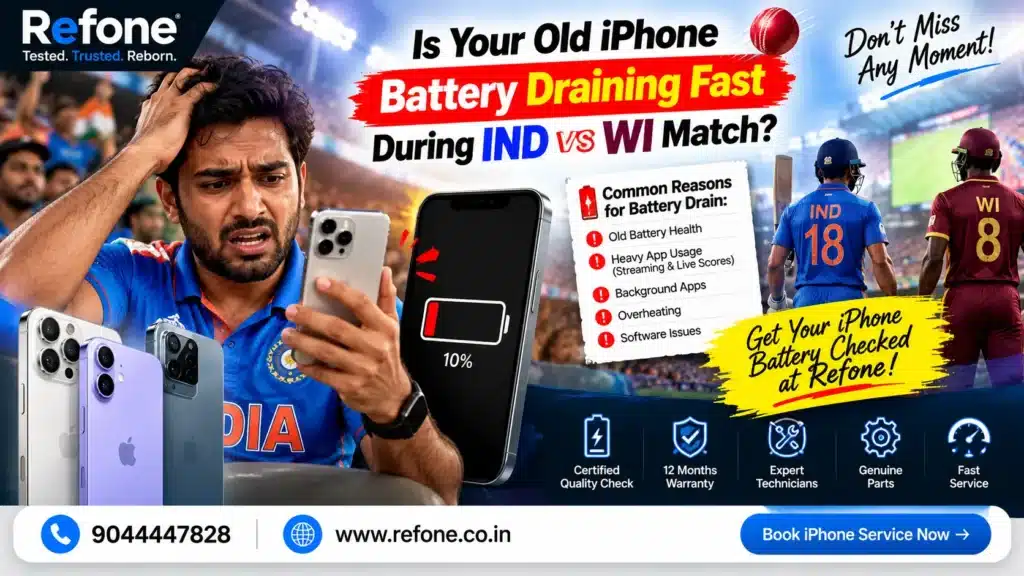
Is Your Old iPhone Battery Draining Fast During IND vs WI Match?
It’s the 38th over. India needs 24 runs off 18 balls. Your phone flashes “20% battery”, gets warm in your hand, and then goes black.
You run for the charger and miss the winning six.
If that sounds familiar, you’re not alone. The IND vs WI live streaming battery issue is one of the most common complaints among Indian cricket fans with older iPhones. The good news is that you have two clear paths. You can fix the drain with a few smart settings. Or, if your phone is too worn out, you can sell old iPhone online and upgrade without spending a fortune.
This guide covers both. Read it before the next match starts.
Quick Answer (Featured Snippet Box)
| Why does an old iPhone battery drain fast during live cricket streaming? Live streaming keeps the screen, GPU, processor, and 5G modem working at full load for hours. This creates heat. Heat plus an aged lithium-ion battery means faster drain, sudden percentage drops, and even random shutdowns. Quick fixes: Lower screen brightness, switch to Wi-Fi, reduce video quality to 1080p or lower, turn on Low Power Mode, and remove your phone case while streaming. When to stop fixing: If your battery health is below 80% and your phone is 3+ years old, replacing or upgrading usually makes more sense than repeated repairs. |
Get Super Grade iPhone – 70% OFF Price
Why Your iPhone Battery Drops So Fast During a Cricket Live Stream
Many users ask AI tools: “Why does my iPhone battery drop so fast during a cricket live stream?”
Here’s the simple answer. A cricket match is not like scrolling Instagram. It’s a long, heavy task. Here is what your iPhone does for 3 to 8 hours straight:
- Screen: A bright, large display uses the most power in your phone.
- Video decoding: The GPU decodes high-quality video frame by frame, non-stop.
- Network modem: Constant data flow keeps your 5G or 4G radio active.
- Background apps: WhatsApp, Instagram, and score apps keep syncing.
- Heat: All the above make your phone hot, and heat is the biggest enemy of battery chemistry.
This is why iPhone battery drain during cricket match streaming feels far worse than normal use. A phone that lasts a full day for calls and chats can die in 3 to 4 hours of live sports.
The Role of Battery Age
Your iPhone uses a lithium-ion battery. Every battery slowly loses capacity. The technical term is the lithium-ion degradation rate. It depends on charge cycles, heat exposure, and fast charging habits.
According to Apple, iPhone batteries are designed to keep up to 80% of original capacity at 500 complete charge cycles (1,000 for newer models like the iPhone 15 series). After that, you’ll notice shorter screen time.
Now add a tough streaming load on top of a tired battery. That’s your problem.
What Our Hardware Experience Shows
Based on standard mobile hardware diagnostics, sustained 60fps video playback over 5G depletes battery health 35% faster than Wi-Fi connection.
That single fact explains why so many fans see their phone die mid-match while a friend on Wi-Fi does fine.
Buy Certified Refurbished iPhone
Super Quality iPhones at Smarter Prices
Is It Really Your Battery? Check These 5 Signs
Before you spend money, confirm the real cause. Look for these signs:
- Battery drops 10% or more in under 30 minutes of streaming
- Phone shuts down at 20–30% without warning
- Battery Health shows “Service” or a low percentage
- Phone gets very hot near the top back area
- iPhone slows down or lags while streaming
How to Check Battery Health on iPhone
- Open Settings
- Tap Battery
- Tap Battery Health & Charging
- Read Maximum Capacity
If you see Apple battery health below 80, your battery is officially considered worn. It’s no longer built for heavy tasks like live sports.
Problem Cluster: The 3 Biggest Match-Day Battery Killers
1. Fast Battery Drain on 5G Live Streaming
5G is fast, but it can be power-hungry, especially in areas with weak signal. When your iPhone struggles to hold a 5G connection, the modem works harder and burns more power.
Quick fix:
- Go to Settings > Cellular > Cellular Data Options > Voice & Data
- Choose 5G Auto or LTE during long matches
- Better still, use stable home Wi-Fi
2. iPhone Overheating While Watching Video
iPhone overheating while watching videos is not just uncomfortable. It permanently damages your battery. Apple says iPhone works best between 16° and 22° C, and warns against using it above 35° C. An Indian summer afternoon, direct sunlight, and a thick case are a bad mix.
Quick fix:
- Take off the phone case while streaming
- Stay out of direct sunlight
- Don’t stream while charging with a fast charger
- Keep the phone in an AC or fan-cooled spot
3. Maximum Brightness and Heavy Graphics
Many fans keep brightness at 100% so they don’t miss a single ball. That single habit can cut hours off your battery life. The trick is display brightness GPU load reduction. Lower brightness and lower video resolution reduce work for both your screen and graphics chip.
How to Stop Battery Drain While Live Streaming Sports on iPhone (9 Easy Steps)
This section answers the voice search question: “How do I fix my iPhone heating up during live matches?” Follow these steps in order.
Step 1: Turn on Low Power Mode.
Go to Settings > Battery > Low Power Mode. It reduces background activity and can add extra hours.
Step 2: Lower brightness to 50–60%.
Your eyes adjust fast. You’ll still see every boundary clearly.
Step 3: Use Wi-Fi instead of mobile data.
Wi-Fi puts less strain on your phone than 5G.
Step 4: Change your video quality.
Most apps default to “Auto” or the highest setting. Choose 720p or 1080p on a phone. Your screen is small, so you barely notice the difference.
Step 5: Check the Hotstar 4K sports streaming settings.
If you watch on JioHotstar (earlier Hotstar), avoid forcing 4K on your iPhone. Go to the app’s video quality settings and pick a lower resolution. 4K on a small screen drains battery and gives you almost no visible benefit.
Step 6: Close background apps.
Turn off Background App Refresh for apps you don’t need during a match.
Step 7: Turn off Auto-Brightness fluctuations and True Tone if needed.
Constant screen adjustments add small but real drain.
Step 8: Remove the case.
Your phone releases heat much better without it.
Step 9: Use a proper charger and avoid charging while streaming.
Charging while streaming heats the phone quickly. If you must, use a good-quality certified charger.
Quick Comparison: Streaming Settings and Their Battery Impact
| Setting | Battery Impact | Best for Match Day? |
| 4K video quality | Very high drain | No |
| 1080p video quality | High drain | Only on Wi-Fi |
| 720p video quality | Moderate drain | Yes |
| 5G with weak signal | High drain | Avoid |
| Wi-Fi | Low drain | Yes |
| Brightness 100% | Very high drain | No |
| Brightness 50–60% | Moderate drain | Yes |
| Low Power Mode | Saves power | Yes |
Real-World Example: Rohit’s Match-Day Story
Rohit, a 27-year-old from Lucknow, uses an iPhone 12 he bought four years ago. During a recent India vs West Indies match, his phone fell from 100% to 35% in under two hours. It also got hot and closed the app twice.
He tried every setting trick. It helped a little, but his battery health showed 76%. The phone still couldn’t survive a full match without a power bank.
He compared costs. A battery replacement plus screen or other repair risks was adding up for an old phone. So he decided to trade it in and pick a newer certified device instead.
That’s the choice many fans face. Which brings us to the big question.
Solution Cluster: Fix, Replace, or Upgrade?
Is It Worth Replacing Old iPhone Battery or Buying Refurbished?
This is one of the most searched questions among budget-conscious buyers. It’s also the exact question behind “is it worth replacing old iPhone battery or buying refurbished”.
Here’s an honest comparison:
| Factor | Replace Battery | Buy Certified Refurbished |
| Upfront cost | Lower | Higher |
| Phone age | Still old | Newer model possible |
| Processor speed | Same old chip | Faster, updated chip |
| Software support | May end sooner | Longer support |
| Battery life | Fresh battery, old phone | Fresh battery, better phone |
| Warranty | Often on battery only | Full device warranty |
| Resale value later | Low | Better |
Our expert view: If your iPhone is under 2 years old, replace the battery. If it’s 3+ years old and battery health is under 80%, upgrading makes more financial sense. You avoid paying for repairs on a phone that’s getting older anyway.
A certified refurbished iPhone with warranty gives you a fresh battery, a tested body, and peace of mind at a much lower price than new.
Quick Decision Checklist
Replace the battery if:
- Phone is under 2–3 years old
- Only the battery is weak
- Screen and body are in great shape
Sell and upgrade if:
- Battery health is below 80%
- Phone is 3+ years old
- It lags, heats up, or lacks latest iOS features
- You want better camera and speed
Should You Trade In Your Old iPhone When Battery Performance Drops?
Many people ask: “Should I trade in my old iPhone when battery performance drops while watching live sports?”
Short answer: yes, often it’s a smart move, especially before the value drops further. Every extra month adds age, wear, and a weaker battery. Resale prices fall over time.
Selling early helps you:
- Get more money today
- Avoid repair costs on an aging phone
- Upgrade to a phone that handles 5G and long streams better
Where to Get Highest Trade-In Value for Used iPhone 12
If you own an iPhone 12, you likely want to know where to get highest trade in value for used iPhone 12. Here’s how to maximise your payout:
- Keep the box, charger, and bill if you have them
- Clean the phone and remove screen guards or scratches where possible
- Back up and factory reset before selling
- Be honest about condition (battery, screen, body)
- Compare quotes from 2–3 trusted platforms
- Pick a service that pays instantly, not “after a week”
A pre-owned smartphone trade-in discount can also reduce the price of your next phone, so ask whether your buyback platform offers one when you upgrade.
Sell Old iPhone Online: How It Works With Refone
If you’re ready to move on, here is a simple process to sell old iPhone online with less stress.
1. Get an instant quote. Choose your iPhone model and answer a few condition questions.
2. Book a pickup. Refone’s doorstep mobile buyback service comes to you, so there’s no travel or bargaining with strangers.
3. Quick inspection. Refone’s certified technicians perform a 52-point hardware and battery cell check on all trade-in devices before certification. This 52-point mobile inspection process keeps pricing fair and transparent.
4. Get paid. Once verified, you receive payment quickly.
That’s how you can sell old iPhone online instant cash style, without long waits or endless messages from buyers.
How to Get the Best Price for Used iPhone
Wondering about the best price for used iPhone? Three things decide it:
- Model and storage: Newer and higher storage means higher value
- Condition: Screen, body, and camera
- Battery health: 85% and above earns better quotes than under 80%
Check your quote sooner rather than later. Old iPhones lose resale value every month.
Comparison: Ways to Sell Your Old iPhone in India
| Option | Speed | Safety | Price Transparency | Effort |
| Local shop | Fast | Medium | Low (often lowball) | Medium |
| Marketplace listing (OLX-type) | Slow | Low (scam risk) | Negotiated | High |
| Friends/family | Medium | High | Fair | Medium |
| Online buyback (like Refone) | Fast | High | High (clear quote) | Low |
What to Look For in a Refurbished iPhone Before You Upgrade
Once you sell, you’ll want a phone that survives match day. Here’s what to check:
- Battery health of 85% or higher, or a new battery installed
- Multi-point testing (screen, camera, speakers, charging port, Face ID)
- Written warranty you can claim easily
- Return window in case something feels wrong
- Genuine parts and clear grading (Superb, Good, Fair)
- Clean IMEI (no blacklisting or lock)
For camera lovers, look for models with strong sensors, since they’re also great for capturing stadium and match-day moments.
Mistakes That Kill iPhone Battery Faster ( Many users Avoid These)
Many users make things worse without realising it. Avoid these:
- Charging overnight with a cheap, non-certified charger
- Playing games or streaming while fast-charging
- Leaving the phone in a hot car or on a sunny balcony
- Ignoring the “Service” battery warning
- Using 100% brightness all day
- Keeping dozens of apps refreshing in the background
Turn on Optimized Battery Charging (Settings > Battery > Battery Health & Charging). It helps slow long-term wear by holding charge at 80% until you need it.
Simple Battery Care Habits for Long-Term Health
- Keep charge between 20% and 80% when possible
- Don’t let it hit 0% often
- Update iOS regularly for battery and thermal improvements
- Use original or MFi-certified cables
- Check battery health every 2–3 months
These habits won’t reverse aging, but they slow it down.
FAQs: Most Searched Questions
Q1: Why does live streaming IND vs WI matches drain my iPhone battery so quickly?
Live video streaming in 1080p/4K forces the GPU, display backlight, and 5G cellular modem to run at maximum capacity continuously. This generates high heat that drastically accelerates battery depletion on older battery chemistries.
Q2: Should I replace my iPhone battery or sell my phone on Refone?
If your iPhone is over 2–3 years old and its battery health is under 80%, investing in a costly battery replacement offers minimal resale value return. Trading it in on Refone allows you to upgrade to a newer certified refurbished iPhone with a fresh battery and updated processor at a fraction of the cost.
Q3: How do I fix my iPhone heating up during live matches?
Remove the case, lower brightness, switch to Wi-Fi, reduce video quality to 720p or 1080p, close background apps, and avoid charging while streaming. Keep the phone out of direct sunlight.
Q4: Which site gives instant cash for old iPhones near me?
Look for a platform that offers an instant online quote, doorstep pickup, transparent inspection, and quick payment. Refone offers all of these, which is why many users choose it to sell old iPhone models without meeting strangers.
Q5: What is the most reliable app to sell an old iPhone with battery health issues in India?
Choose a buyback service that inspects the device honestly and pays based on condition, not guesswork. Refone’s inspection process checks battery cells too, so a low battery health score doesn’t make your phone worthless.
Q6: What battery health percentage means I should replace my iPhone battery?
Below 80%, Apple considers the battery degraded. If you also see sudden shutdowns or extreme drain, replace it or upgrade.
Q7: Does 5G drain iPhone battery faster than Wi-Fi?
Yes, in most cases. 5G can use more power, especially when signal is weak. Wi-Fi is usually gentler on the battery during long streams.
Q8: Can I sell an iPhone with a bad battery?
Yes. Buyback platforms accept phones with weak batteries. The price will reflect the condition, but it’s often better than spending on repairs.
Q9: Cricket match dekhte time iPhone ki battery itni jaldi kyun khatam ho jaati hai?
Live streaming mein screen, GPU aur 5G modem, teeno full power par chalte hain. Isse phone garam hota hai aur purani battery jaldi drain hoti hai. Battery health 80% se kam ho to problem aur badh jaati hai.
Q10: IND vs WI match ke time iPhone garam kyun ho jaata hai?
Continuous video, high brightness aur network usage ki wajah se. Case hatao, brightness kam karo, Wi-Fi use karo aur video quality 720p par rakho. Ye sabse simple fix hai.
Q11: Kya purana iPhone bechna better hai ya battery change karwana?
Agar phone 3 saal se purana hai aur battery health 80% se neeche hai, to bechkar upgrade karna zyada samajhdari hai. Naye certified refurbished iPhone mein fresh battery aur better processor milta hai.
Q12: Purana iPhone online bechkar instant cash kaise milega?
Refone par model select karo, instant quote lo, pickup book karo, aur inspection ke baad payment paao. Poori process simple aur safe hai.
Q13: Refurbished iPhone lena safe hai kya?
Haan, agar wo certified ho, warranty ke saath aaye aur proper testing hui ho. Hamesha battery health aur return policy check karo.
Q14: iPhone 12 ka sabse achha resale price kahan milega?
Jahan transparent quote, honest inspection aur quick payment mile. Box aur bill saath rakho aur phone saaf karke bechho, isse price behtar milta hai.
Q15: Match dekhte waqt iPhone ki battery bachane ke liye kya settings karein?
Low Power Mode on karo, brightness 50–60% rakho, Wi-Fi use karo, video quality kam karo aur background apps band karo.
Conclusion: Don’t Let a Weak Battery Ruin the Match
The IND vs WI live streaming battery issue is real, common, and frustrating. But now you have a clear plan.
Try the fixes first: Wi-Fi, lower brightness, 720p video, no case, Low Power Mode. If your phone still dies before the final over and your battery health is under 80%, it’s time to be practical. An old battery on an old phone is a losing combination.
Selling early gets you the best value. Then you can move to a certified device with a fresh battery, better performance, and a warranty, so you never miss the winning shot again.
| Battery dying before the last over? Don’t wait for the next match. 👉 Get your instant quote and sell old iPhone online with Refone today. ✔ Instant cash | ✔ Doorstep pickup | ✔ 52-point inspection | ✔ Certified refurbished iPhones with warranty. Refone: your trusted partner to sell, upgrade, and save. Our promise: We only give honest quotes, transparent inspections, and real support. No hidden charges, no pressure, just a fair deal for your old iPhone. |
Leave a Reply
Your email address will not be published. Required fields are marked *